Products/Product Management
Product Management & Pricing

Scan, price, and label your whole catalog, from one handheld.

The app that keeps your products right: scan a barcode to add or edit an item on the spot, update prices in bulk, and print shelf labels, all synced to the same catalog your POS, restaurant and store run on.

Optical barcode scanner
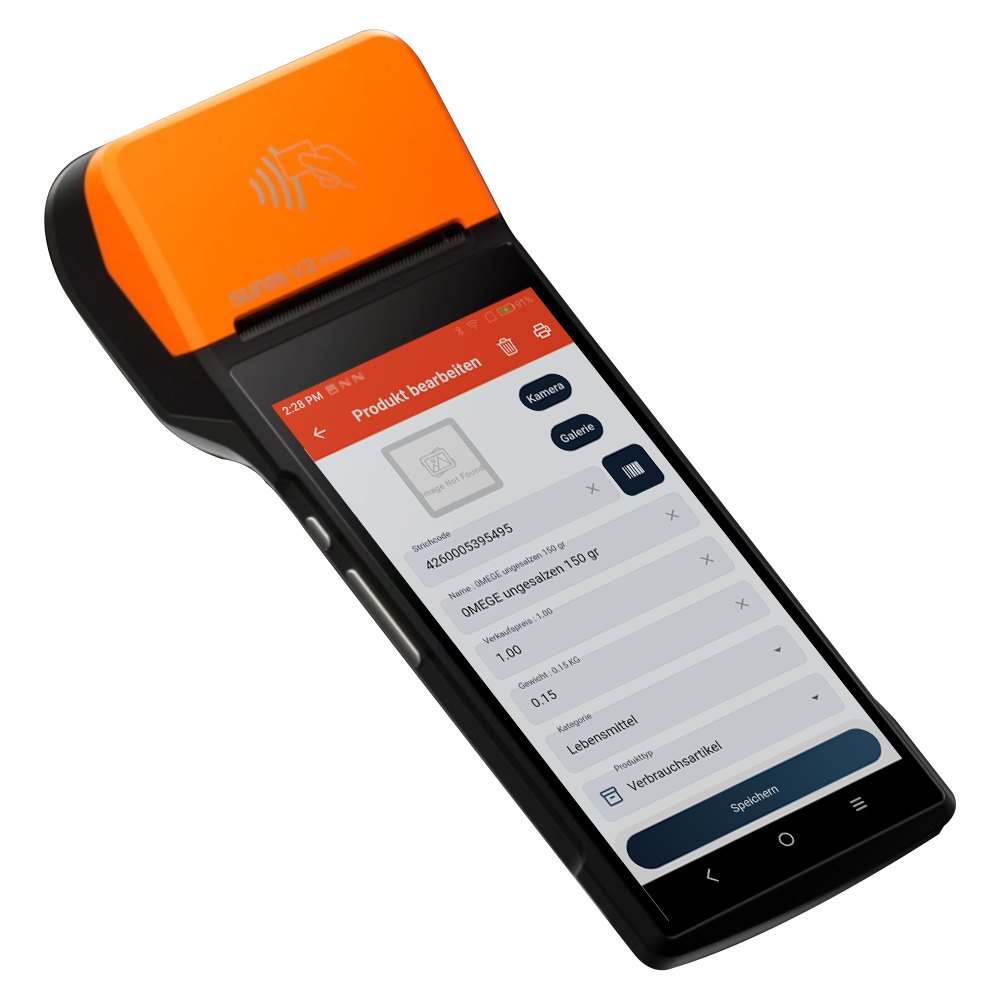
Handheld terminal · Android
InSoft Product Manager on a Sunmi handheld showing the Produkt bearbeiten screen with barcode, name, price, weight and category fields
Scan to edit
new or existing item
Scan to edit
Add or update instantly
Print labels
Price · weight · barcode
Batch queue
Build a print list
One catalog
Syncs to every app
The backbone

The catalog behind your POS, restaurant and store

Product Management is where products, barcodes and prices live. Change a price here and it's right everywhere, the till, the menu and the online store all read the same catalog.
POS → Restaurant → E-commerce →
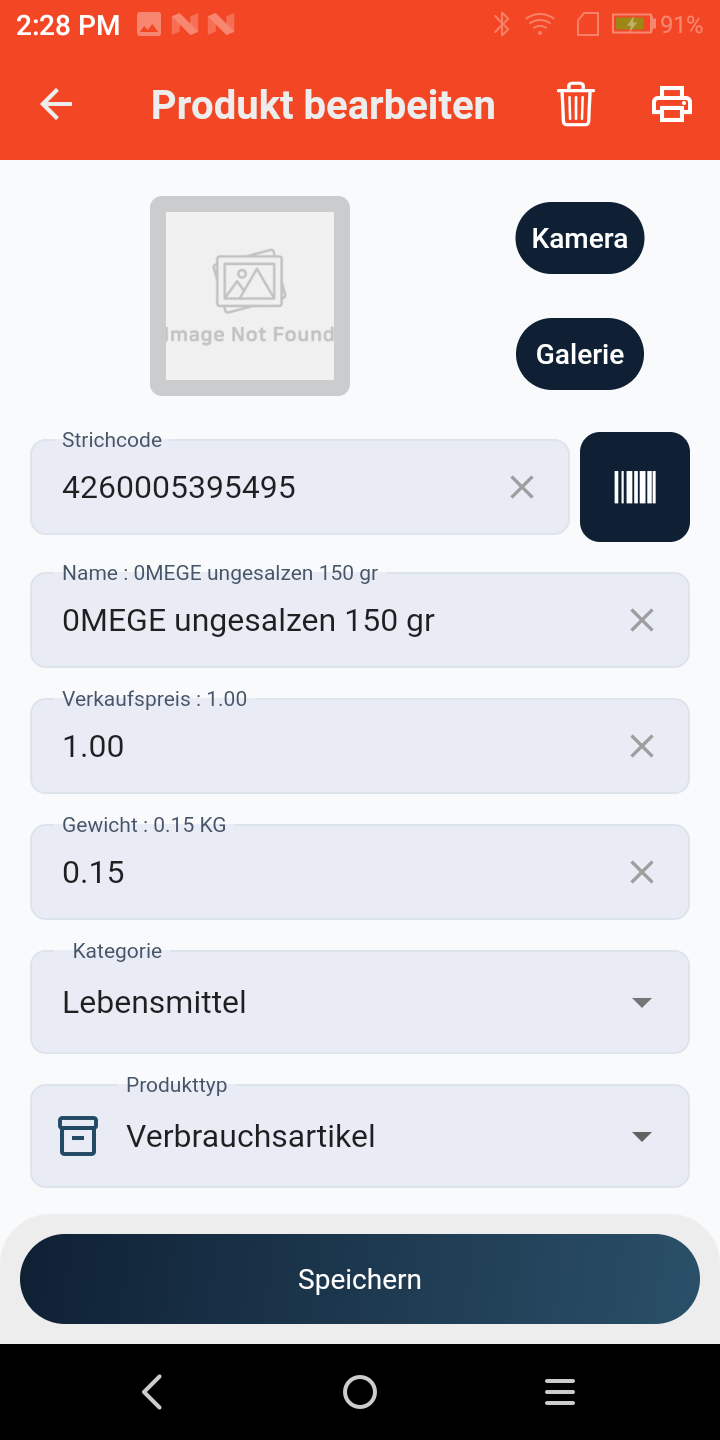
Product Manager Produkt bearbeiten screen, barcode 4260005395495, product name, Verkaufspreis, Gewicht, Kategorie and Produkttyp fields with a Speichern button
Scan & edit

Point the scanner, the app knows the rest

Scan a barcode and the app tells you whether the product is new or already on file. New items open a fresh form to create; existing ones open ready to edit, name, price, weight and category, right there.

New vs. existing, detected on scanCreate or edit without hunting through lists.
Fast price & catalog updatesGrow and adjust your catalog on the floor.
Search by name or scanFind any product two ways.
Shelf labels

Print a price label straight from the search screen

Choose what goes on the label, price, weight, barcode, and print one on the spot, or add products to a print list and run the whole shelf at once. Print with the current price, or set a new value as you go.
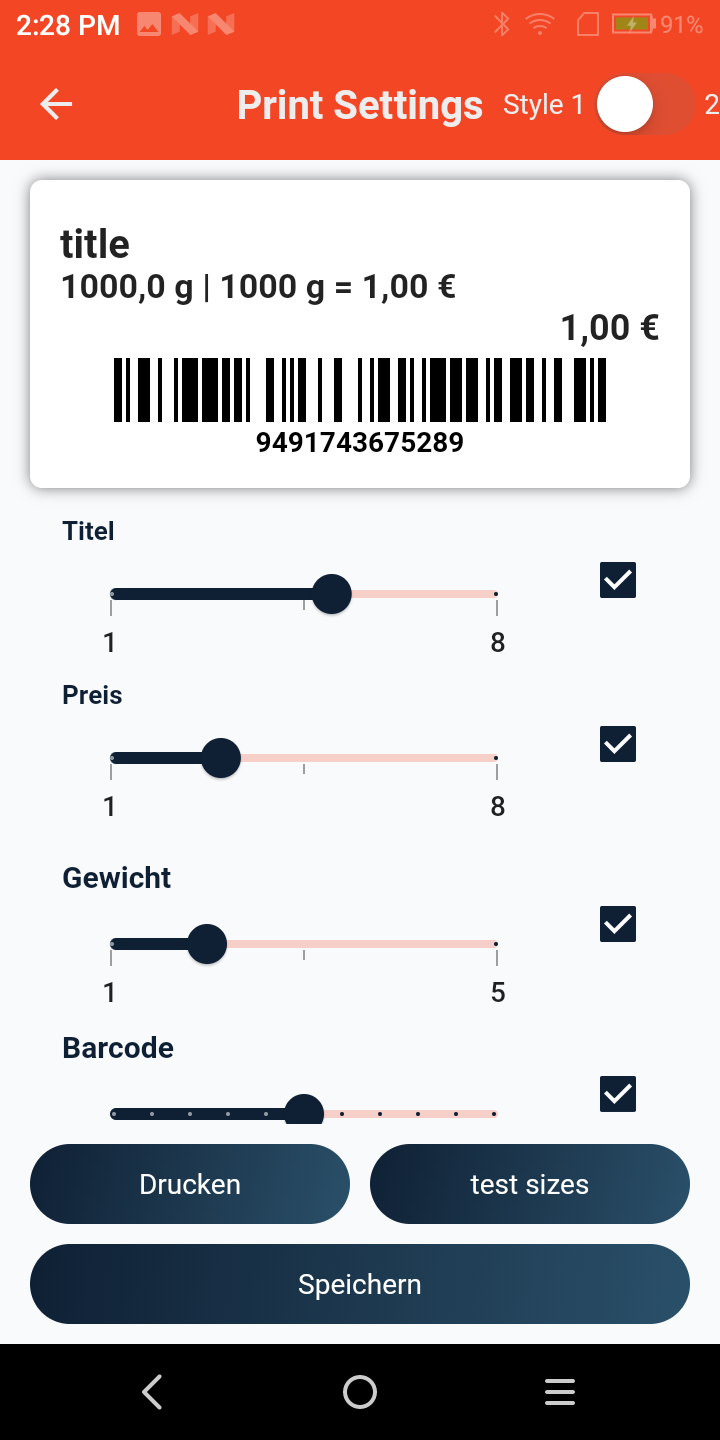
Toggle price, weight & barcodeLabel shows exactly what you need.
Build a print list for the whole shelfQueue items and batch-print their labels.
Print direct or send to the POS printerFrom the handheld or your connected station.
Product Manager Print Settings screen, a live label preview with title, weight-based price and barcode, plus Titel, Preis, Gewicht and Barcode size sliders and Drucken, test sizes and Speichern buttons
Inside the app

More than just products

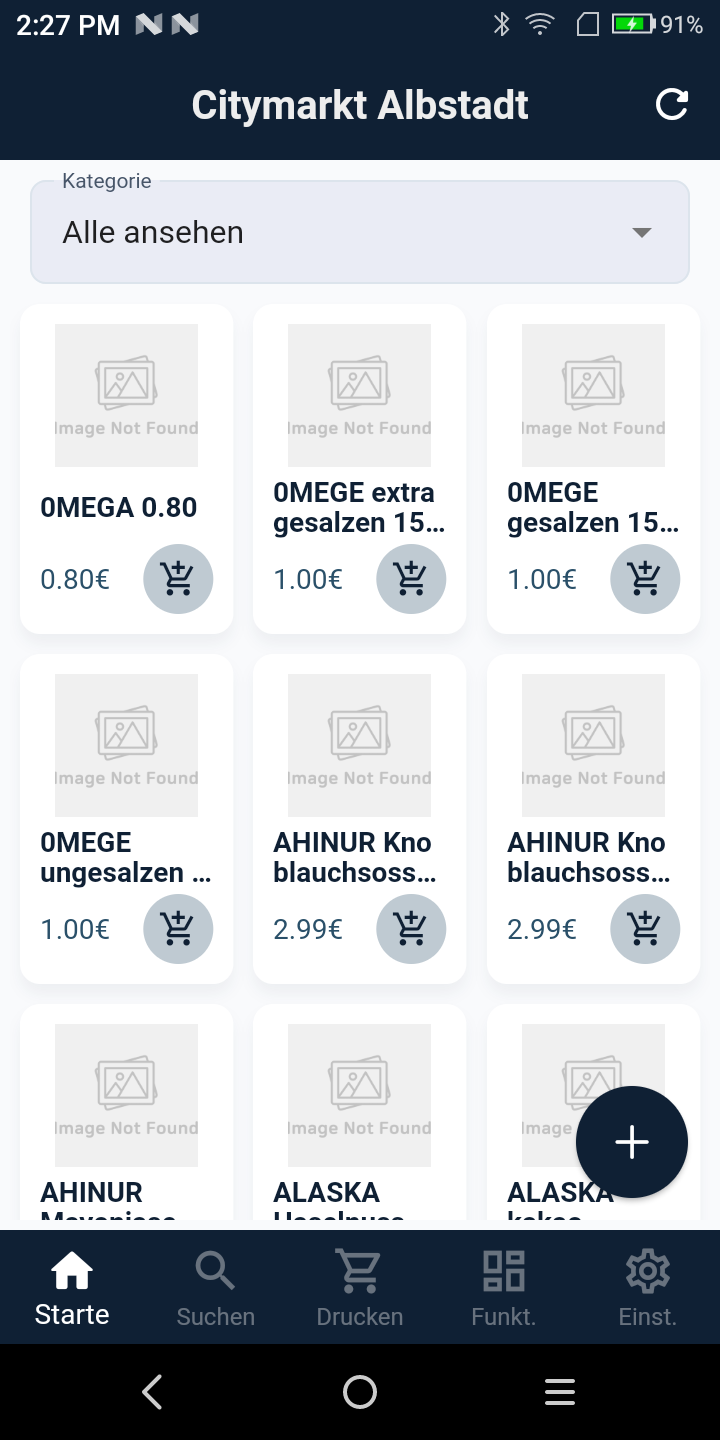
Product Manager home, Citymarkt Albstadt catalog with a category filter, product cards showing name and price, add-to-cart buttons and a bottom tab bar

Your whole catalog

Every product with its price, filtered by category. Tap in to edit, or add a new one from the same screen.
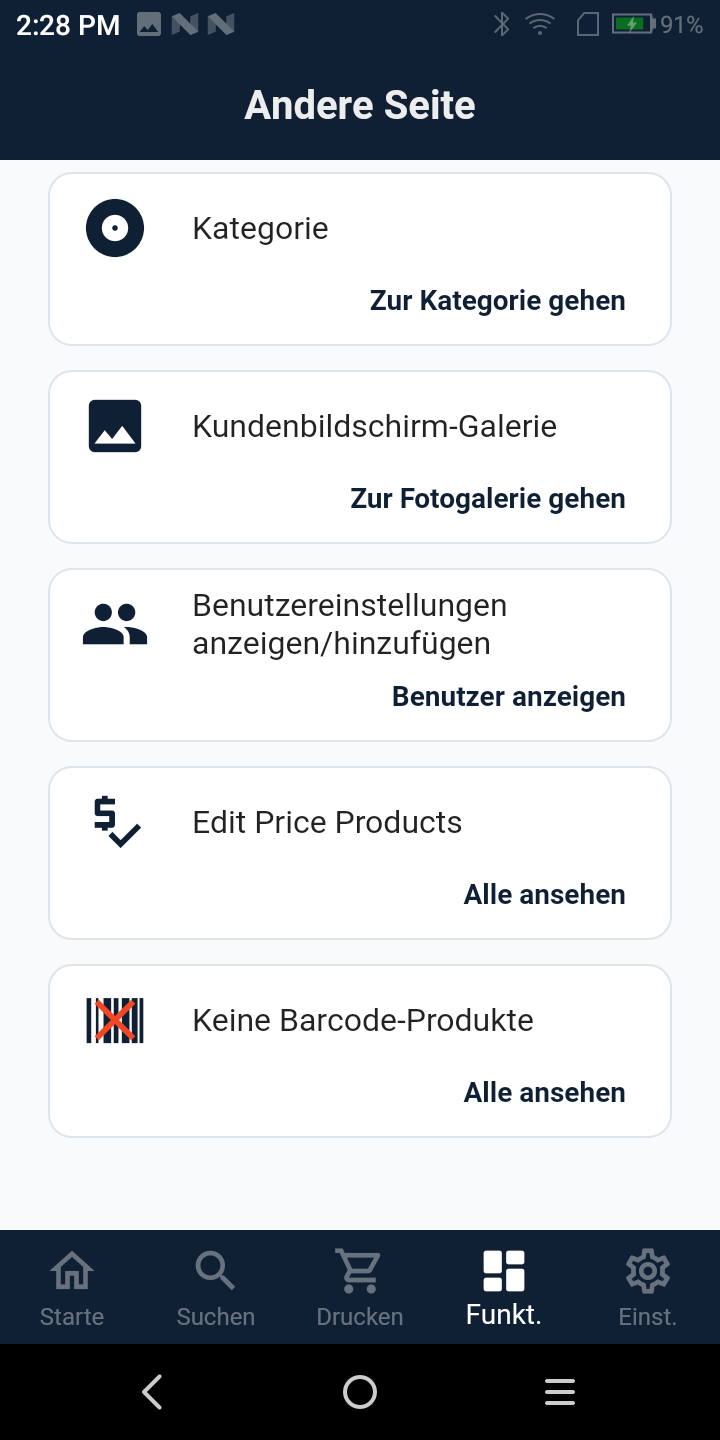
Product Manager Andere Seite, tools list: Kategorie, Kundenbildschirm-Galerie, Benutzereinstellungen, Edit Price Products and Keine Barcode-Produkte

More than just products

Categories, the customer display gallery, users, a quick price editor and a list of items still missing a barcode.

Product Manager Produkt bearbeiten, barcode, name, sale price, weight, category and product type with camera, gallery and scan buttons

One clean product form

Barcode, name, price, weight, category and product type, plus camera, gallery and rescan, all in one place.

Need the handheld & label printer?

Terminals with built-in scanner and label rolls, ready to pair.

Shop hardware

One catalog, always up to date.

Tell us about your products and we'll set up the handheld, barcodes and label printing around your catalog.

Request a quote WhatsApp us